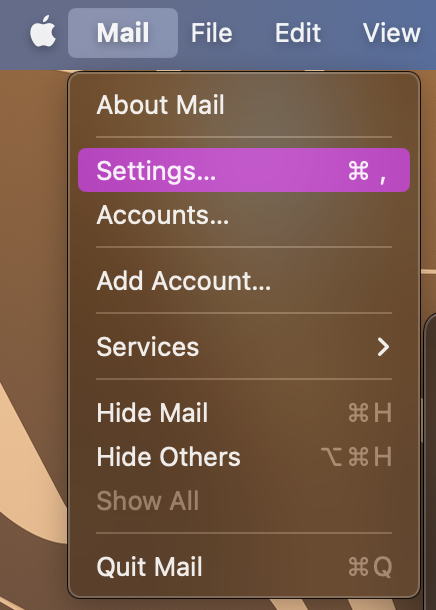
Click on Mail > Settings.
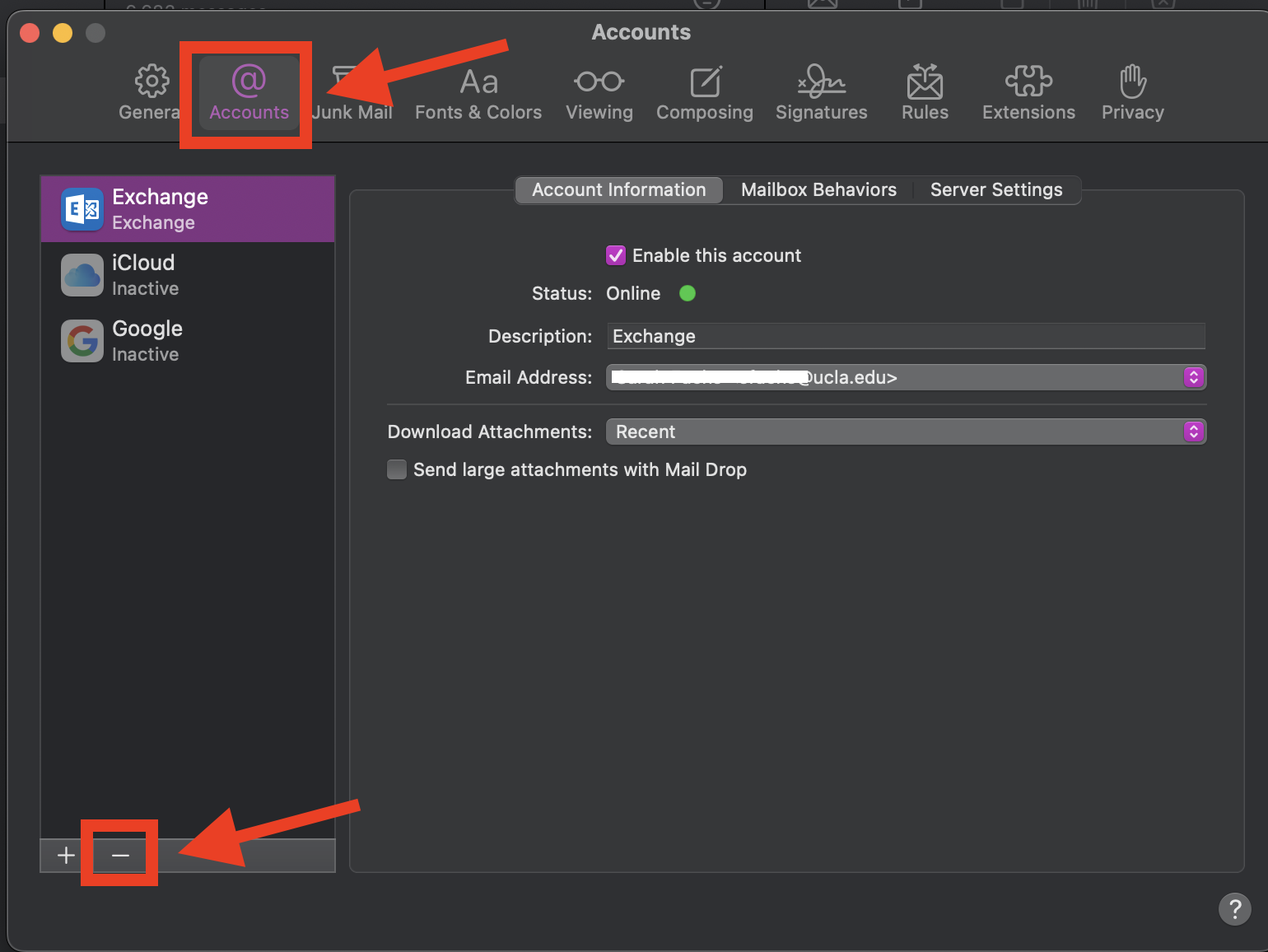
In the window that opens, navigate to the accounts tab.
Make sure the account you want to remove is highlighted and click on the minus sign (-) at the bottom.
(Note: Your @arts.ucla.edu account will come up as "Exchange")
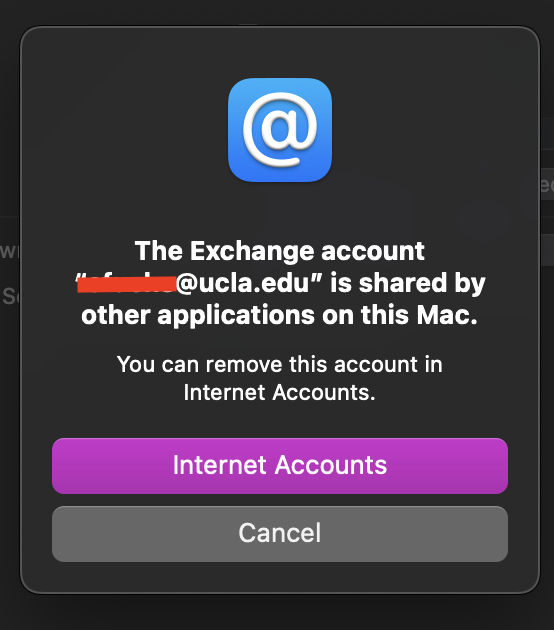
Click on "Internet Accounts" in the window that opens.
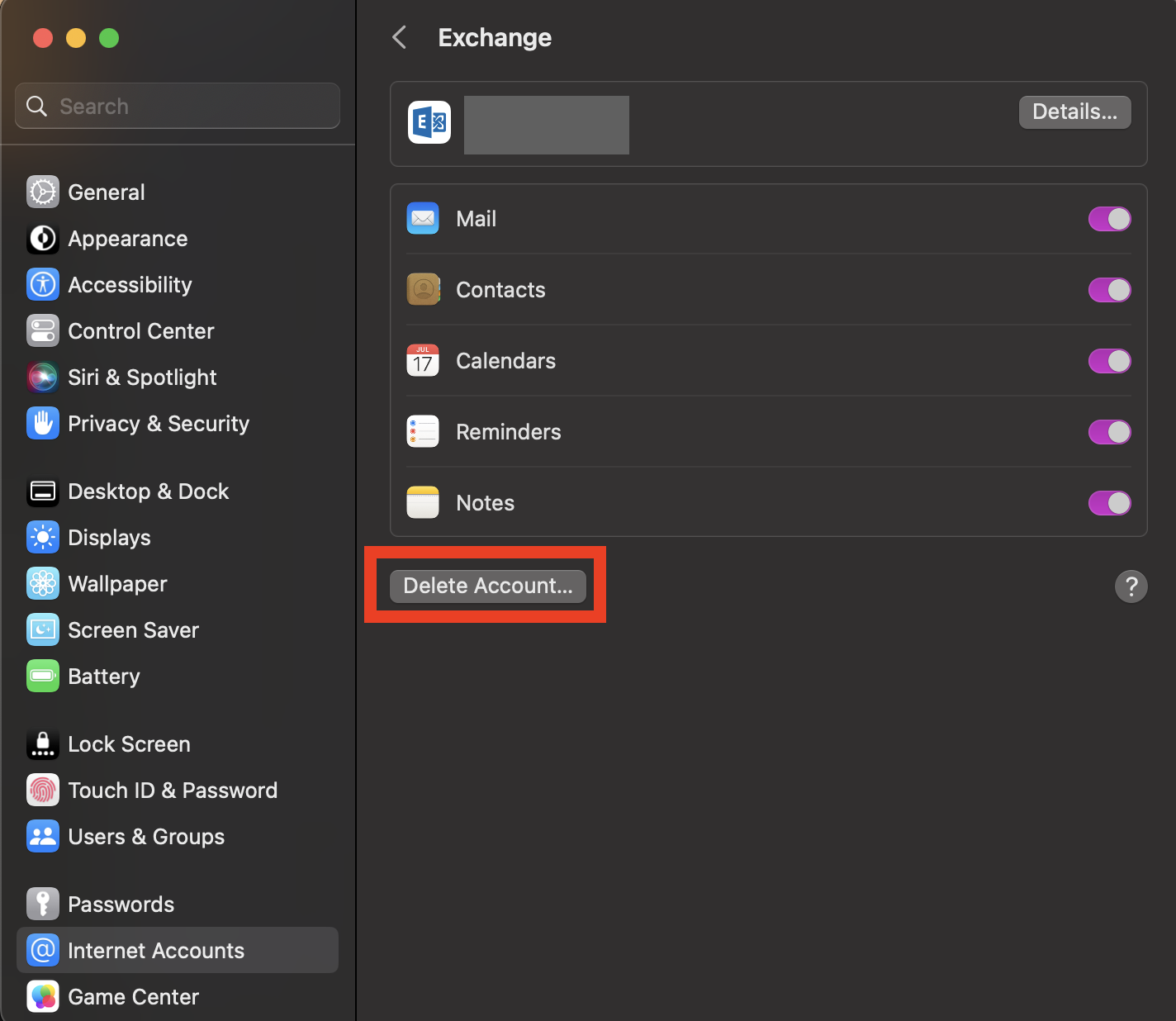
System settings will open to the "Internet Accounts" tab with the account you want to sign out of.
Click on "Delete Account"
(Note: This will only delete your account on your computer. You will be able to sign back in later.)
Was this article helpful?
That’s Great!
Thank you for your feedback
Sorry! We couldn't be helpful
Thank you for your feedback
Feedback sent
We appreciate your effort and will try to fix the article