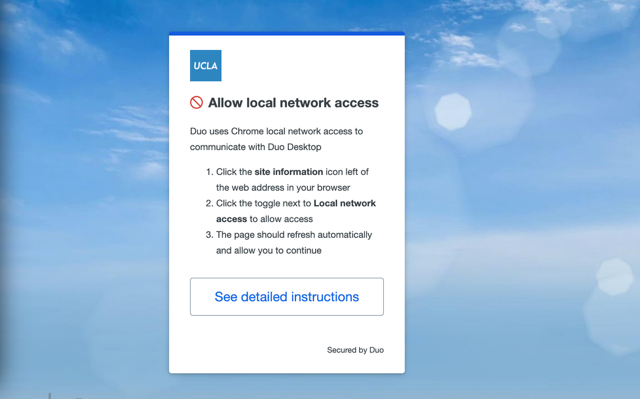
Duo Desktop requires Local Network Access when using Google Chrome:
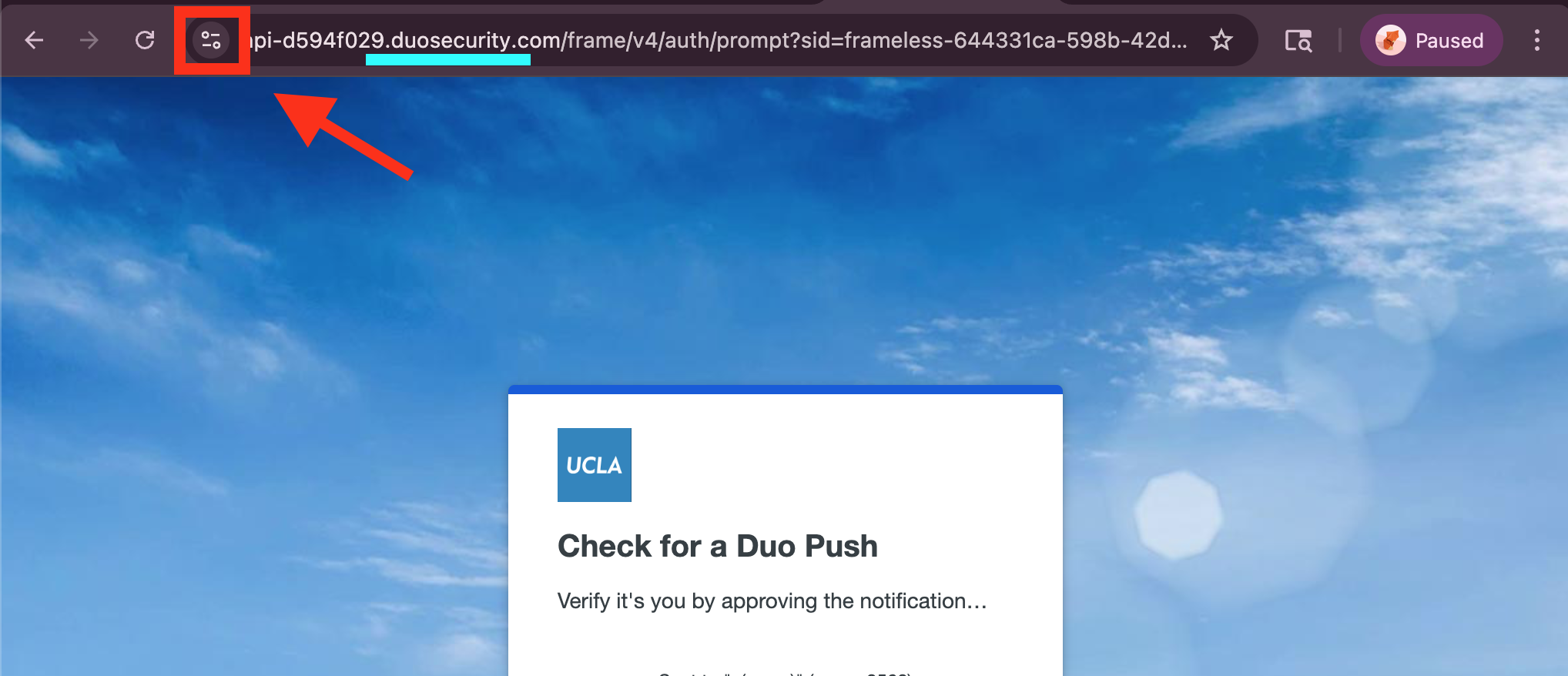
1. Click on symbol next to the address bar when the Duo window is open.
The web address should have "duosecurity.com"
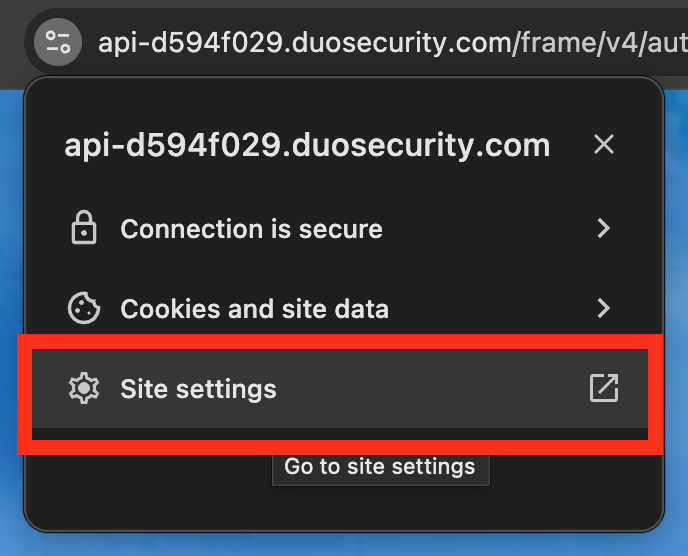
3. Click on "Site settings"
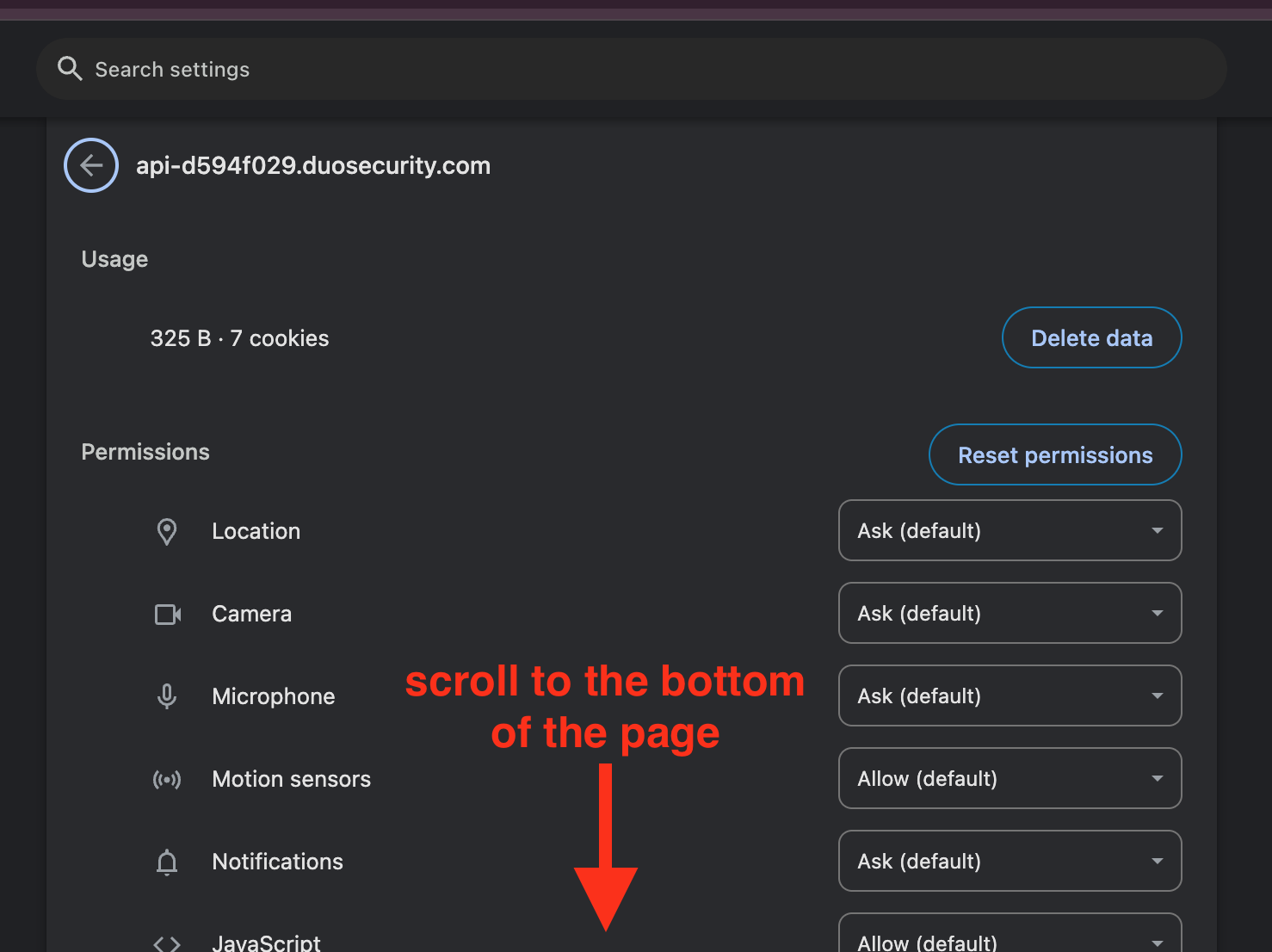
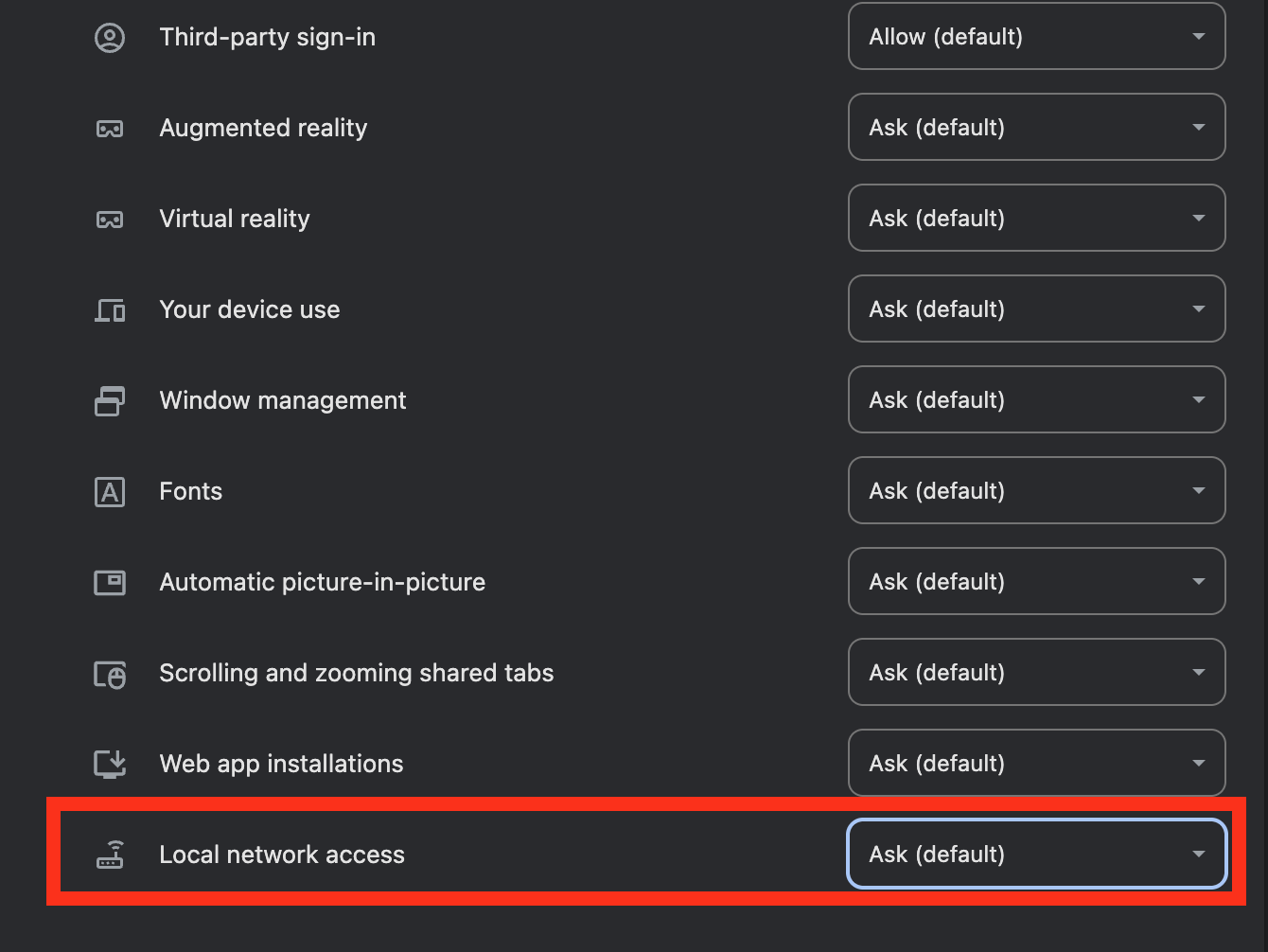
4. In the tab that opens, scroll to the very bottom of the page to locate "Local network access"
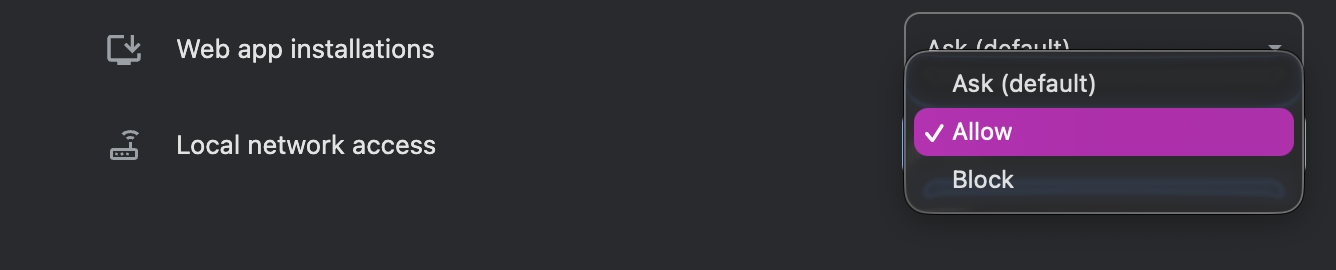
Change from
Was this article helpful?
That’s Great!
Thank you for your feedback
Sorry! We couldn't be helpful
Thank you for your feedback
Feedback sent
We appreciate your effort and will try to fix the article